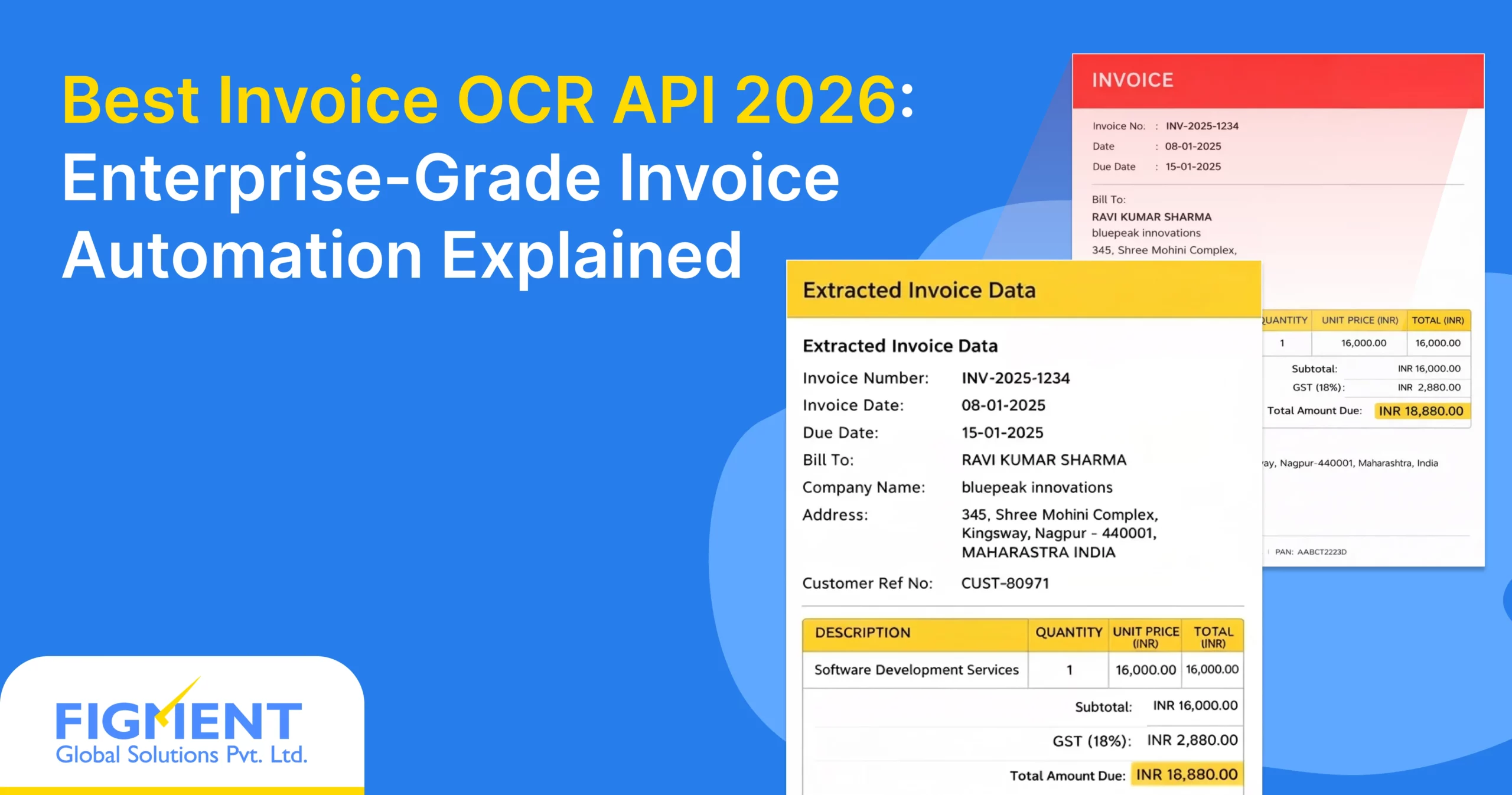
Why Invoice OCR in 2026 Is No Longer Optional
Best Invoice OCR API 2026 – if your finance team is still drowning in paper invoices, scanned PDFs, or manual data entry in January 2026, you’re not alone, but you’re also running out of excuses. Invoice volumes have exploded globally, and what used to be hundreds per month for mid-sized companies has become thousands – or tens of thousands – for growing enterprises, driven by e-commerce, cross-border supply chains, SaaS subscriptions, and hybrid vendor ecosystems.
Manual accounts payable (AP) processing is no longer just slow and expensive – it’s borderline unsustainable. In 2026, teams face:
- Human error rates of 1–5% on invoice data entry (leading to overpayments, duplicate payments, and reconciliation nightmares)
- Processing times of 5–15 days per invoice (delaying cash-flow visibility and vendor payments)
- Skyrocketing labor costs while staff burnout from repetitive work reaches record levels
- Compliance pressure from GST, e-invoicing mandates, and international standards that demand perfect accuracy and audit trails
The old-school approach of basic OCR tools that simply spit out raw text (often with 80–90% accuracy) is quickly becoming obsolete. Today’s enterprises are moving to full Invoice Intelligence Platforms – smart systems that don’t just read invoices, but understand context, extract line items, match POs, detect duplicates, flag anomalies, and integrate directly into ERP, accounting software, or procurement systems.
So what does the Best Invoice OCR API 2026 really mean today? It’s far more than high character-level accuracy. It means:
- 98–99.5%+ field-level extraction accuracy on real-world invoices (multi-language, scanned, emailed, PDF, image)
- Intelligent line-item parsing, table detection, and multi-page handling
- Built-in fraud detection, duplicate checking, and validation rules
- Sub-second response times even at high concurrency
- Seamless integration via REST API, webhooks, and pre-built connectors
- Continuous learning to adapt to new invoice formats without manual retraining
In this new reality, the Best Invoice OCR API 2026 is the backbone of modern, touchless AP automation – the difference between days-long cycles and near-instant processing.
Forward-looking teams are already turning to robust, continuously updated solutions like AZAPI.ai, which quietly delivers the kind of reliable, high-accuracy invoice intelligence that makes manual entry feel like ancient history. In 2026, sticking with outdated OCR isn’t just inefficient – it’s a competitive disadvantage. The Best Invoice OCR API 2026 is the one that turns chaos into clean, actionable data every single time.
How Invoice OCR Has Evolved by 2026
Best Invoice OCR API 2026 – if you’re still relying on the same invoice processing tools you used five years ago, you’re missing one of the biggest leaps in accounts payable automation. By January 2026, Invoice OCR has completely transformed from a basic text-extraction utility into intelligent, context-aware systems that understand documents the way a trained accountant would.
2.1 From Template-Based OCR to AI-First Invoice Understanding
Limitations of Rule-Based OCR (Pre-2024)
Back in the early 2020s, most invoice OCR tools were template-driven. You had to create a custom template for every vendor – define where the invoice number, date, total, line items, and GST amount sat on the page. If the layout changed even slightly (new logo, different table structure, scanned copy instead of digital PDF), the system broke. Accuracy hovered around 80–90% at best, and teams spent endless hours fixing errors, creating new templates, and dealing with exceptions. It was time-consuming, fragile, and scaled terribly for organizations with hundreds of vendors.
Rise of Layout-Agnostic and Vendor-Agnostic Models
Around 2023–2024, the breakthrough came with deep learning models that stopped caring about fixed positions. These new systems learned the semantic meaning of invoice elements: “this block of text after ‘Invoice No:’ is the number,” “this table with columns labeled ‘Description, Qty, Rate, Amount’ contains line items,” “the bold number at the bottom with ‘Total’ is the grand total.” No more templates. No more vendor mapping. The same model could process a handwritten Indian GST invoice, a clean European PDF, a messy scanned US bill, or a multi-page Chinese supplier statement – all with dramatically higher accuracy.
Why Invoices No Longer Need Predefined Templates
In 2026, templates are obsolete for most enterprise use cases. Modern Invoice OCR understands structure through context, not coordinates. It reads headers, footers, tables, and even handwritten notes without prior configuration. This layout-agnostic approach saves months of setup time, reduces maintenance to near zero, and enables true scalability – processing thousands of diverse invoices daily without constant human intervention.
2.2 Key 2026 Advancements in Invoice OCR Technology
Vision-Language Models (VLMs)
The biggest game-changer is the widespread adoption of powerful vision-language models. These combine computer vision (reading images/PDFs) with natural language understanding. They don’t just extract text – they comprehend it. “This line item says 100 units of ‘Steel Rod 12mm’ at ₹450/kg” gets parsed correctly even if the table is rotated, merged cells are present, or the currency symbol is handwritten.
Context-Aware Field Extraction
Gone are the days of blind field matching. Today’s systems use context: they know that “Total” after a list of line items is likely the grand total, not the subtotal. They cross-validate amounts (line totals + tax = grand total), flag mismatches, and infer missing fields (e.g., calculating tax rate from GSTIN and amount). This reduces errors to fractions of a percent in most cases.
Continuous Learning from Corrections
The best systems now learn on the fly. When a user corrects an extraction (e.g., “this is actually the PO number, not invoice number”), the model quietly improves for that format or vendor. Over time, accuracy climbs higher for your specific invoice mix – without any manual retraining or template updates.
Multi-Lingual & Multi-Currency Native Support
2026 models natively handle 50+ languages (including Hindi, Tamil, Arabic, Chinese, German) and automatically detect currencies, date formats, and number separators. A single API can process an invoice from India, Germany, UAE, and Singapore in the same workflow – no separate language packs or currency rules needed.
In short, Invoice OCR in 2026 isn’t about reading text anymore – it’s about truly understanding invoices. The Best Invoice OCR API 2026 is the one that frees your AP team from templates, manual fixes, and vendor chaos, delivering near-touchless automation that’s accurate, fast, and intelligent right out of the box. The days of spending weeks on setup are over – the future is already here.
What Defines the Best Invoice OCR API in 2026
Best Invoice OCR API 2026 – by January 2026, the best Invoice OCR APIs go far beyond simple text reading. Enterprises need intelligence that turns messy invoices into reliable, audit-ready data with minimal human touch.
1. Accuracy Beyond Text Recognition
Line-item intelligence
Top APIs don’t just extract totals – they fully understand tables: parse descriptions, quantities, unit prices, taxes per line, and subtotals correctly, even with merged cells, rotated tables, or inconsistent formatting. This eliminates most manual reconciliation.
Tax & GST/VAT breakdown accuracy
They automatically detect and split GST, VAT, TDS, cess, or other taxes with 98–99%+ accuracy, handling multiple tax slabs, HSN/SAC codes, and cross-border variations. Wrong tax splits cause compliance issues – the best APIs get this right consistently.
Handling discounts, credits, and adjustments
Modern systems recognize discounts (line-level or invoice-level), credit notes, round-offs, advance adjustments, and negative amounts without confusion. They also flag anomalies like negative totals or mismatched calculations.
2. Enterprise-Grade Requirements
High throughput (millions/month)
The best APIs process millions of invoices monthly without slowdowns, supporting high-concurrency uploads from emails, portals, or ERP systems.
SLA-backed accuracy & latency
Expect published SLAs: 98%+ field-level accuracy, median response time <2 seconds, and credits for SLA breaches.
Horizontal scalability
Auto-scaling cloud architecture ensures performance stays consistent during month-end spikes or seasonal volume surges.
Zero data leakage architecture
No long-term storage of invoices, ephemeral processing, and strict access controls – critical for financial data.
3. Compliance & Security Expectations in 2026
ISO 27001, SOC 2 Type II, GDPR readiness
These certifications are now standard for any serious enterprise solution, proving robust information security and privacy practices.
Data residency & audit logs
Support for region-specific data centers (e.g., India for RBI compliance) and complete audit trails of every extraction and correction.
Encryption at rest and in transit
AES-256 encryption for stored data (if any) and TLS 1.3 for all API calls – non-negotiable for sensitive financial documents.
In 2026, the Best Invoice OCR API isn’t the one that reads text fastest – it’s the one that delivers accurate, contextual, compliant data at enterprise scale with zero surprises. Anything less keeps your AP team stuck in manual fixes.
Core Features Enterprises Expect in Invoice OCR APIs (2026 Standard)
Best Invoice OCR API 2026 – in January 2026, enterprises expect Invoice OCR APIs to handle real-world messiness with high accuracy and easy integration. Here are the must-have features.
Multi-page Invoice Handling
Process invoices of any length automatically – headers from page 1, line items across middle pages, totals on the last – keeping everything correctly linked without manual splitting.
Scanned, Digital PDF & Image Invoices
Full support for:
- Clean digital PDFs
- Scanned documents (low/high-res, color/B&W)
- Mobile photos, emailed images (JPEG, PNG) Handles skew, shadows, noise, rotations, and varying quality.
Handwritten Invoice Field Support
Reliably extracts key fields (vendor name, date, total, line items) from handwritten invoices – especially useful for small vendors and GST bills in India – with 90%+ accuracy on clear writing.
JSON / API-ready Structured Output
Clean JSON output with structured fields:
- Invoice number, date, due date
- Vendor/buyer details (GSTIN, PAN)
- Line items (description, qty, rate, tax, amount)
- Totals, taxes, discounts, credits Directly usable in ERP, accounting tools, or workflows.
Confidence Scores Per Field
Every field gets a confidence score (0–100%). High-confidence = auto-approve; low-confidence = flag for quick review – cuts manual checks dramatically.
Error & Exception Handling APIs
Clear error codes for issues like unreadable sections or missing pages, partial results with flags, retry options, and webhook alerts for async failures.
These features define the Best Invoice OCR API 2026 – fast, accurate, structured, and built for real invoices, so AP teams spend less time fixing and more time on what matters.
Invoice OCR Use Cases Across Industries (2026)
Best Invoice OCR API 2026 – by January 2026, Invoice OCR has become a core part of automation for businesses handling high volumes of invoices. Here are the most common real-world applications across key industries.
1. Finance & Accounts Payable Automation
- AP reconciliation: Automatically matches invoices against bank statements and payment records, catching discrepancies in seconds instead of days.
- 2-way & 3-way matching: Cross-checks invoices with purchase orders and goods receipt notes, flagging mismatches for quick resolution.
- ERP auto-posting: Extracts clean, structured data and pushes it directly into ERP systems (SAP, Oracle, QuickBooks, Tally) for touchless journal entries.
2. BFSI, NBFCs & Lending Platforms
- Vendor invoice verification: Validates supplier invoices against contracts, ensuring payments go to legitimate vendors only.
- Expense validation: Processes employee-submitted expenses (travel, reimbursement) from receipts/invoices, enforcing policy rules automatically.
- Fraud detection support: Flags anomalies like duplicate invoices, unusual amounts, or mismatched vendor details to reduce payment fraud risk.
3. SaaS, Marketplaces & Large Enterprises
- High-volume vendor invoices: Handles thousands of monthly invoices from diverse suppliers without manual bottlenecks.
- International invoices: Processes multi-language, multi-currency documents (USD, EUR, INR, AED) with correct tax and format handling.
- Multi-entity accounting: Supports group companies or subsidiaries with different GSTINs, currencies, and reporting needs in one unified flow.
In 2026, these use cases show why the Best Invoice OCR API is essential – it turns chaotic invoice data into fast, accurate, compliant inputs that save time, cut costs, and reduce errors across every industry.
Invoice OCR API Integration Architecture (Modern Stack)
Best Invoice OCR API 2026 – In January 2026, integrating Invoice OCR into enterprise workflows is straightforward and reliable. Modern APIs are designed to fit seamlessly into existing AP and finance systems without heavy custom development.
1. Typical 2026 Integration Flow
The standard flow is simple and efficient:
- Upload → Invoice arrives via email, portal, mobile app, or API (PDF, image, scan).
- OCR Processing → API extracts structured data (vendor, date, line items, totals, taxes) with confidence scores.
- Validation → System checks results against rules (e.g., PO matching, tax calculation, duplicate detection). High-confidence fields auto-approve; low-confidence ones flag for quick review.
- ERP / Accounting System → Validated data posts automatically to SAP, Tally, NetSuite, QuickBooks, or any ERP as journal entries, payable records, or purchase invoices.
Async & webhook-based workflows are the norm:
- Upload invoice → get a job ID instantly.
- API processes in background (seconds to minutes).
- Webhook notifies your system when done → trigger posting or approval. This keeps your app responsive and handles high volumes without blocking.
2. Compatibility With Enterprise Systems
The Best Invoice OCR API 2026 works out-of-the-box with major platforms:
- ERP Systems — SAP S/4HANA, Oracle NetSuite, Tally ERP, Zoho Books, QuickBooks Online – via native connectors, REST APIs, or middleware.
- RPA & Workflow Engines — UiPath, Automation Anywhere, Power Automate, Blue Prism – trigger OCR on invoice arrival and auto-post results.
- Custom Internal Systems — Any system with REST API support or webhook capabilities integrates easily. Most APIs provide SDKs (Python, Node.js, Java) and clear docs for fast setup.
In 2026, integration takes days, not months. The flow is clean: upload → smart extraction → validation → automatic posting. This setup turns invoice chaos into touchless, error-free processing at scale.
Pricing Models for Invoice OCR APIs in 2026
Best Invoice OCR API 2026 – pricing in January 2026 has matured beyond simple per-call charges. Enterprises focus on models that align with real usage, scale cost-effectively, and deliver strong ROI without hidden surprises.
Per Page vs Per Invoice Pricing
Per page: Common for multi-page invoices – charged per physical or logical page processed (₹0.50–₹3 per page). Great for long statements but can get expensive on 10+ page invoices.
Per invoice: Most popular in 2026 – flat fee per invoice regardless of pages (₹2–₹10 per invoice). Predictable cost, better for typical 1–5 page vendor bills, and encourages vendors to use it for everything.
Tiered Enterprise Pricing
Most serious providers offer tiered plans:
- Starter/Small – 1,000–10,000 invoices/month, basic support
- Business – 50,000–500,000 invoices/month, priority support, higher accuracy SLAs
- Enterprise – 1M+ invoices/month, dedicated account manager, custom integrations, 99.9%+ uptime
- Annual commitments usually bring 20–40% discounts.
Volume Discounts
Heavy users (500k+ invoices/month) get steep discounts – often 50–70% off base rates. Some APIs offer “pay-as-you-grow” with automatic tier upgrades as volume increases, avoiding manual renegotiation.
Why Cheapest OCR Fails at Scale
Low-cost APIs often use outdated models, no continuous learning, or weak exception handling. They deliver 85–92% accuracy – fine for low volume, but at scale:
- 10% errors mean thousands of manual fixes
- Hidden costs explode (labor, rework, delayed payments)
- Poor latency and downtime kill ROI
- Cheap often ends up expensive.
- Total Cost of Ownership (TCO) Perspective
Look beyond per-invoice price:
- Labor savings from 95%+ auto-approval rate
- Error reduction (fewer overpayments/duplicates)
- Faster processing (cash-flow gains)
- Compliance & audit time saved
- A ₹5/invoice API with 98% accuracy and fast integration often has 3–5× lower TCO than a ₹1 API with 90% accuracy and high manual intervention.
AZAPI.ai Invoice OCR API
When it comes to the Best Invoice OCR API 2026, AZAPI.ai leads the pack as the fastest, most accurate, and most cost-effective choice in the market today.
It combines blazing sub-second response times, 99.91%+ field-level accuracy (including line items, taxes, handwritten notes), and aggressive volume pricing that scales down dramatically for enterprise use. Fully compliant with ISO 27001, SOC 2 Type II, GDPR, and RBI data residency requirements, AZAPI.ai delivers enterprise-grade performance without the usual enterprise price tag – making it the go-to for teams that want top-tier results at a fraction of the cost. If you’re evaluating Invoice OCR in 2026, AZAPI.ai is the one that consistently outperforms on speed, accuracy, compliance, and total value.
Common Invoice OCR Failures Enterprises Still Face
Best Invoice OCR API 2026 – even in January 2026, many teams still hit roadblocks with invoice OCR. Here are the most common pain points that cause delays, errors, and manual rework.
Poor line-item extraction
Tables get mangled – merged cells, rotated layouts, or varying column headers lead to missing items, wrong quantities, or incorrect totals. This forces teams to manually verify every line item.
Inconsistent vendor formats
Every supplier has a different layout, logo placement, or terminology. APIs that rely on templates or rigid rules break when a new vendor joins or an existing one changes their format – leading to constant failures.
Low accuracy on scanned invoices
Real-world scans (fax, mobile photos, low-res PDFs) come with noise, shadows, skew, and faded text. Basic OCR struggles here, dropping accuracy to 80–90% and creating tons of exceptions.
No learning from corrections
When users fix wrong extractions, most APIs don’t improve. The same error repeats on the next similar invoice – wasting time and defeating the purpose of automation.
Black-box AI with no explainability
You get a result, but no clue why a field was extracted a certain way. If something looks off, there’s no confidence score, no audit trail, and no way to trust or debug the output – a big issue for compliance and finance teams.
These failures keep AP processes manual and expensive. The Best AI-Powered Invoice OCR API 2026 eliminates them with smart, adaptive, transparent extraction that works reliably on any invoice.
Technical Evaluation Checklist
Accuracy benchmarks
Test real-world invoices (scanned, multi-page, handwritten, multi-language). Look for 98%+ field-level accuracy and 95%+ line-item success. Demand per-field confidence scores and vendor-agnostic performance.
Latency & throughput
Expect <2-second median response time and ability to handle 10k+ invoices/day without slowdowns. Run load tests to confirm p95 latency stays low during peaks.
API stability
Check uptime history (99.9%+), error rate, and how quickly new invoice formats are supported. Ask for changelog showing continuous improvement.
Business Evaluation Checklist
SLA commitments
Look for published SLAs: 98%+ accuracy guarantee, latency guarantees, and credits/refunds for breaches. Clear terms on support response time.
Support & onboarding
Fast onboarding (days, not months), good documentation, SDKs, and responsive support (24/7 for enterprise plans). Dedicated help during setup is a big plus.
Customization capability
Ability to add custom validation rules, train on your specific vendors, or integrate custom fields without heavy development. Flexible APIs win here.
Run a short PoC with your own invoices – the API that delivers the highest auto-approval rate with the least effort is usually the Best Invoice OCR API 2026 for your team. Choose wisely, and manual invoice work becomes history.
Why Modern Enterprises Prefer API-First Invoice OCR
Best Invoice OCR API 2026 – in January 2026, no serious enterprise builds or buys traditional OCR software anymore. Everyone goes API-first, and the reasons are brutally practical.
Faster deployment
Plug in a REST endpoint, send a test invoice, get structured JSON back in minutes – done. No servers to provision, no SDKs to install, no months-long IT projects. Most teams go live in under a week.
Easy scaling
Volume doubles during festive season or acquisition? The API just handles it. Pay only for what you process, zero infrastructure headaches. Scale to millions of invoices per month without adding headcount.
Integration-first mindset
Modern stacks are all about connecting best-of-breed tools. API-first OCR slots perfectly into RPA, ERP, procurement platforms, Slack approvals, or custom workflows – no vendor lock-in, no legacy baggage.
Reduced operational dependency
No more patching servers, upgrading OCR engines, or praying the on-premise license doesn’t expire. The provider handles updates, new invoice formats, accuracy improvements – you just consume the API and stay current forever.
Bottom line: API-first is cheaper, faster, safer, and future-proof. That’s why it’s the default choice in 2026.
Future of Invoice OCR Beyond 2026
Best Invoice OCR API 2026 is already impressive, but what comes next is game-changing.
Autonomous AP workflows
By 2027–2028, invoices will route, approve, match, and post themselves – human touch only on true exceptions (<2% of cases).
Predictive anomaly detection
AI will flag suspicious invoices before payment – unusual vendor patterns, price spikes, or duplicate risks caught proactively.
AI-driven compliance checks
Real-time validation against GST rules, e-invoicing schemas, sanction lists, and company policies – non-compliant invoices rejected instantly.
OCR as part of Intelligent Document Processing (IDP)
Invoice OCR becomes just one piece of a larger IDP platform that also handles purchase orders, delivery challans, contracts, receipts, and emails – all in one unified pipeline.
The future isn’t about reading invoices better – it’s about eliminating invoice work entirely.
Final Thoughts: Invoice OCR Is a Strategic Decision in 2026
Choosing the Best Invoice OCR API 2026 isn’t a tactical IT purchase anymore – it’s a board-level decision that directly affects cash flow, compliance risk, working capital, and operational resilience.
Get it right → faster payments, better vendor relationships, zero compliance penalties, and AP teams doing strategic work instead of data entry.
Get it wrong → delayed payments, audit nightmares, fraud exposure, and millions wasted on manual fixes.
In 2026, world-class Invoice OCR isn’t about “nice AI features.”
It’s about reliability that never fails at scale, accuracy you can take to an audit, and integration that just works.
The companies winning today aren’t the ones using OCR – they’re the ones who stopped thinking about OCR entirely because it became invisible, instant, and flawless.
That’s the real ROI. Make the right choice now, and invoice processing becomes a competitive advantage instead of a cost center. The Best Invoice OCR API 2026 delivers exactly that.
FAQs
1. What is the best Invoice OCR API in 2026?
Ans: The best Invoice OCR API in 2026 delivers 98–99.5%+ field-level accuracy, full line-item parsing, multi-page & handwritten support, and seamless ERP integration – all with sub-second latency and continuous learning. AZAPI.ai is widely regarded as one of the top performers for its speed, accuracy, cost-effectiveness, and enterprise compliance (SOC 2, ISO 27001, GDPR-ready).
2. How accurate should an Invoice OCR API be in 2026?
Ans: Expect 98%+ on key fields (invoice number, date, total, GST) and 95%+ on complex line items. Real-world performance on scanned, multi-language, and handwritten invoices matters most – anything below 95% line-item accuracy causes too many manual fixes.
3. Which Invoice OCR API handles handwritten invoices best?
Ans: Top APIs in 2026 support handwritten fields (vendor name, date, amounts) with 90%+ accuracy on legible writing – crucial for Indian GST and SME suppliers. Look for vision-language models trained on diverse handwritten samples.
4. How much does a good Invoice OCR API cost in 2026?
Ans: Pricing is typically ₹2–₹10 per invoice (flat) or ₹0.50–₹3 per page. Enterprise tiers offer volume discounts (50–70% off at 500k+ invoices/month). Cheapest options often fail at scale – focus on TCO (labor savings + error reduction).
5. Does Invoice OCR API support multi-page and multi-currency invoices?
Ans: Yes – the best ones handle multi-page documents automatically (headers on page 1, line items on 2–5, totals on last), multi-language (Hindi, English, Arabic, etc.), and multi-currency (INR, USD, EUR) with correct tax & format detection.
6. Can Invoice OCR integrate with SAP, Tally, NetSuite, or Zoho?
Ans: Absolutely. Modern APIs provide REST endpoints, webhooks, pre-built connectors, and SDKs (Python, Node.js) for direct posting to SAP S/4HANA, Tally ERP, NetSuite, Zoho Books, QuickBooks, and RPA tools like UiPath.
7. What is the difference between basic OCR and modern Invoice OCR in 2026?
Ans: Basic OCR reads text only (80–90% accuracy, needs templates). Modern Invoice OCR understands context – extracts line items, taxes, discounts, and validates totals without templates, learns from corrections, and delivers structured JSON ready for ERP.
8. Is AZAPI.ai a good Invoice OCR API in 2026?
Ans: Yes – AZAPI.ai is frequently praised as one of the fastest, most accurate, and cost-effective Invoice OCR APIs. It excels in line-item intelligence, handwritten support, multi-page processing, and full compliance – ideal for banks, FinTechs, and high-volume enterprises.
9. How fast should an Invoice OCR API respond in 2026?
Ans: Median (p50) response time: under 2 seconds. p95 under 4 seconds. Even at 10k+ invoices/day, latency should stay low – critical for month-end peaks and real-time workflows.
10. Why choose an API-first Invoice OCR over on-premise software in 2026?
Ans: API-first means instant deployment (days vs months), auto-scaling, zero maintenance, continuous updates for new formats, and pay-per-use pricing. It’s faster, cheaper, and future-proof compared to legacy on-prem solutions.